
Keyboard input blocking
Blocks keyboard input while cleaning, keeping keys from typing into apps. On Macs with a Touch Bar, some Touch Bar controls, such as Siri, brightness sliders, and volume sliders, are not blocked.
While cleaning your Mac, touching a key can wake it up or enter unwanted text.
KeyClean blocks keyboard input and mouse or trackpad clicks during cleaning.
With a timer, blocking stops automatically.
For keeping the Mac you use every day feeling fresh.
Supports macOS 14 Sonoma, macOS 15 Sequoia, and macOS 26 Tahoe.
What it does
Blocks keyboard input while cleaning, keeping keys from typing into apps. On Macs with a Touch Bar, some Touch Bar controls, such as Siri, brightness sliders, and volume sliders, are not blocked.
Blocks mouse and trackpad clicks while cleaning, keeping clicks from responding. Pointer movement and scrolling stay available.
A 5-second to 10-minute auto-unblock timer automatically stops blocking. Designed to prevent forgotten blocking and loss of control.
Check the blocking state and remaining time from both the main window and the menu bar.
Screens
KeyClean keeps the selected mode, remaining time, and active blocking state visible so you know exactly what is being blocked.
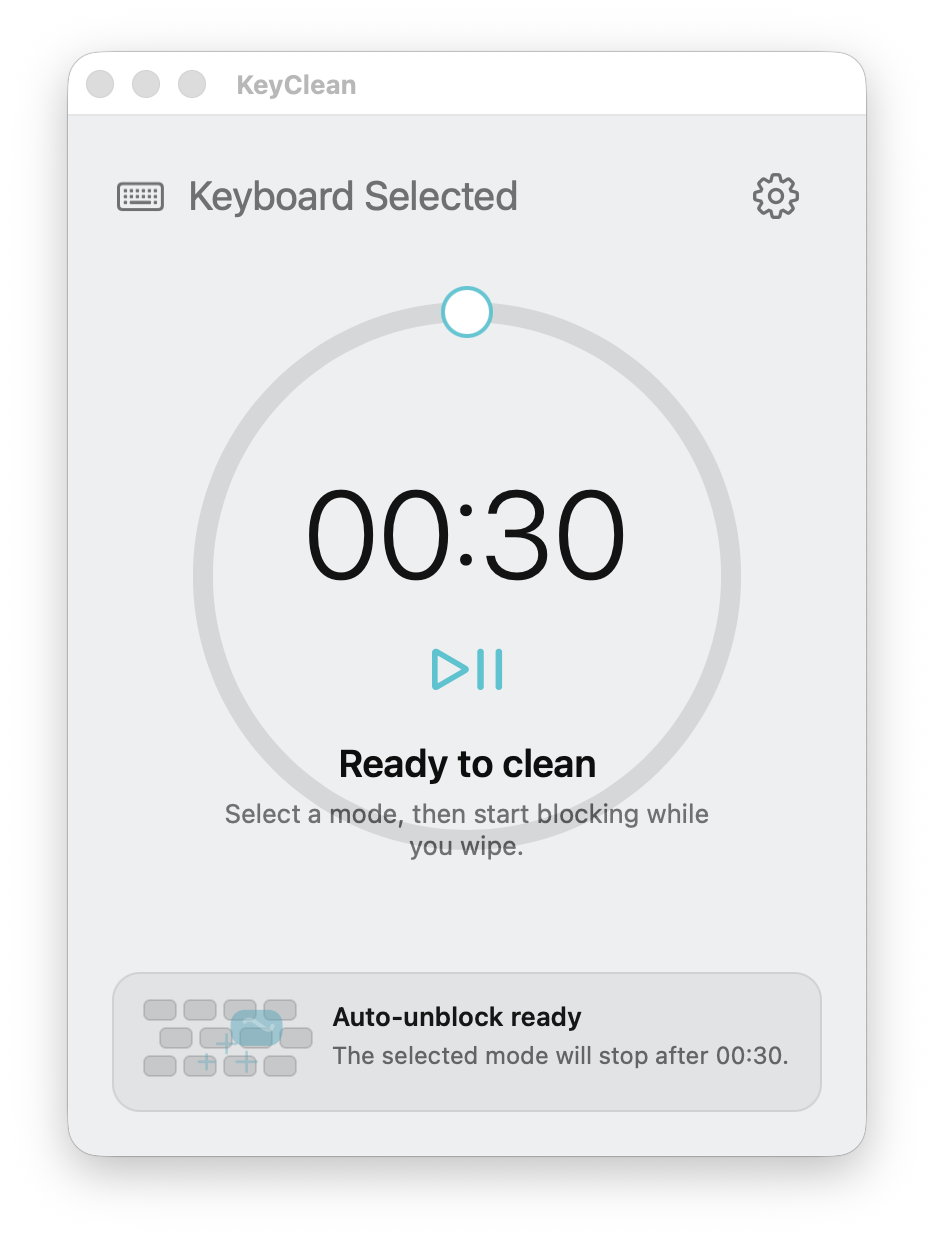
Select keyboard or mouse and trackpad mode, then start blocking input when you are ready.
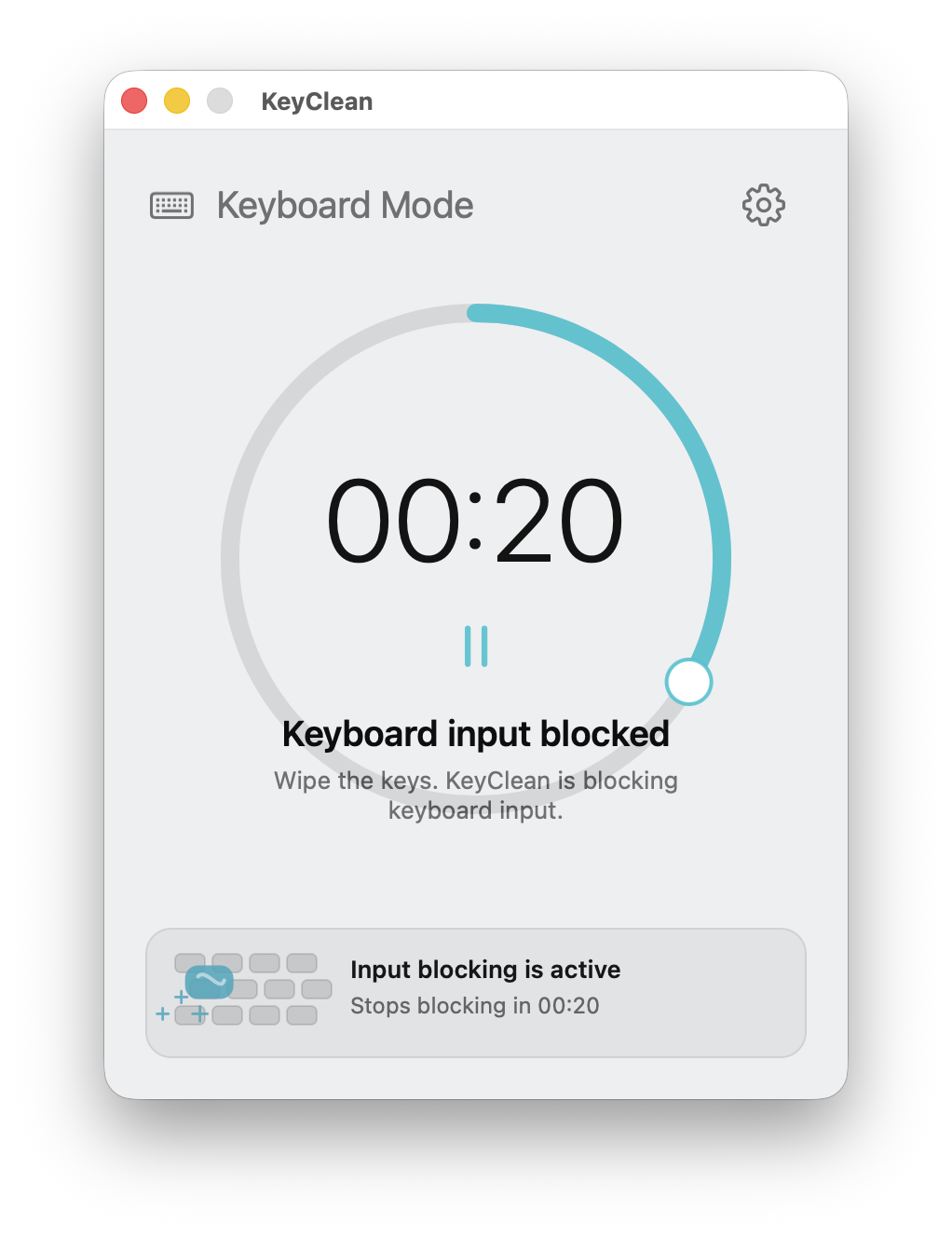
Key presses are discarded while the timer counts down or until you stop manually.
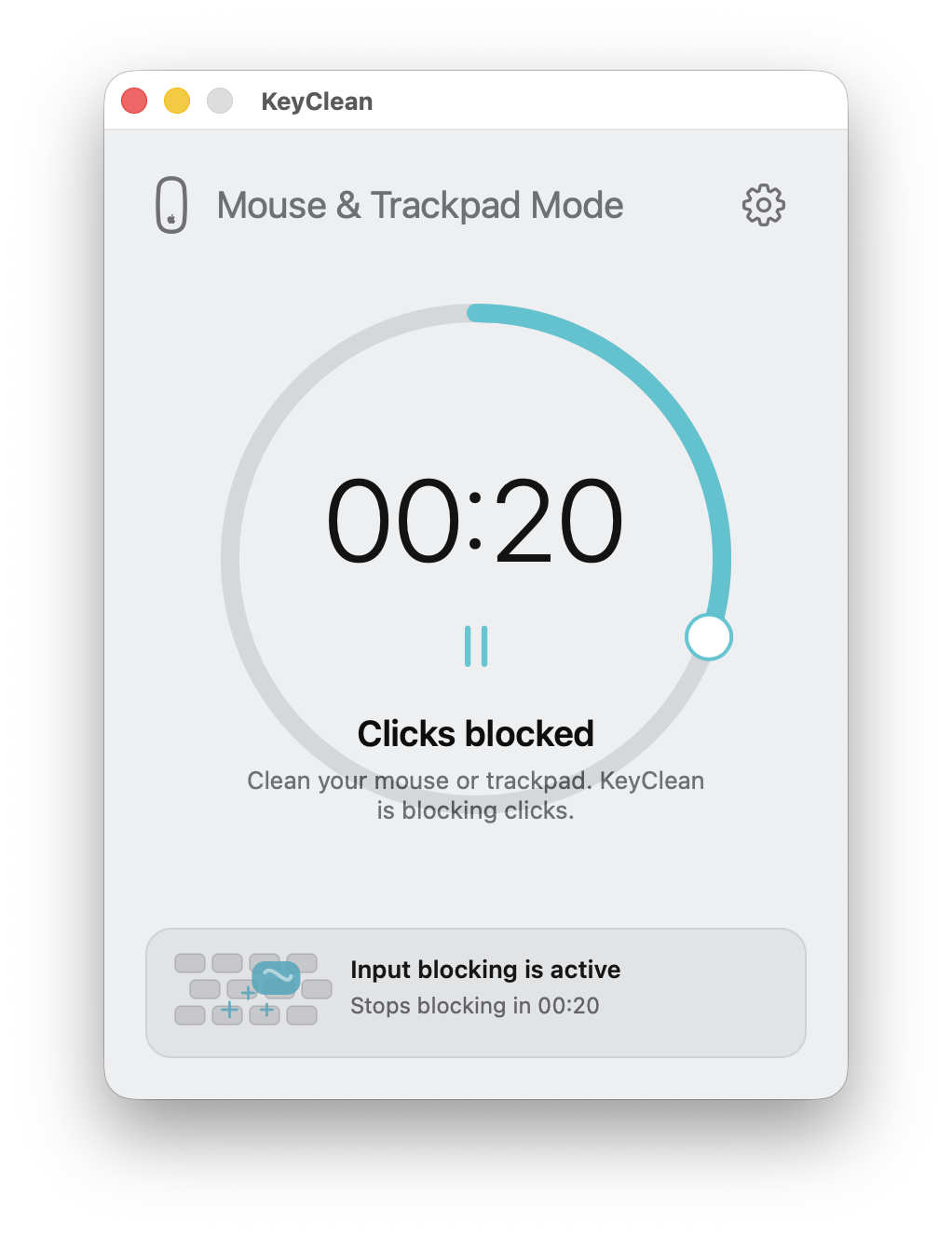
Mouse and trackpad clicks are blocked while pointer movement stays available.
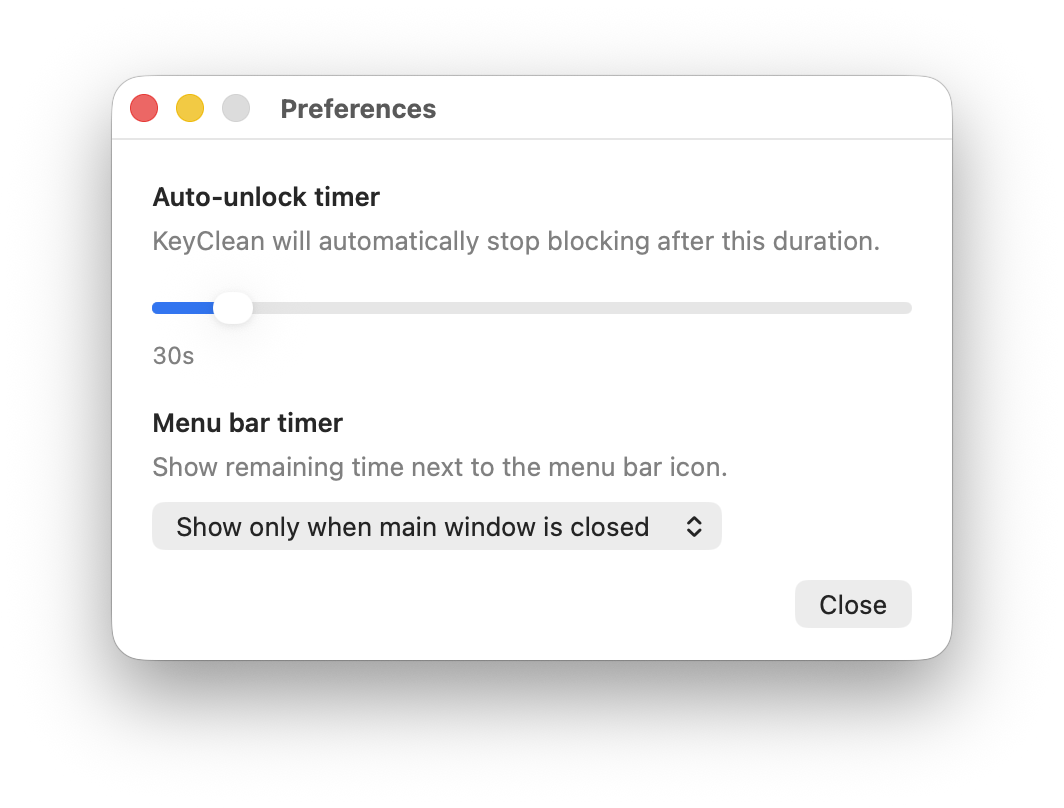
Adjust the auto-unblock timer and choose when the menu bar should show remaining time.
How it works
macOS requires KeyClean to be enabled in Accessibility so it can temporarily block input during cleaning. This permission is not used to record what you type.
View setup guideSwitch between keyboard mode or mouse and trackpad click mode depending on what you want to clean.
KeyClean brings the status window forward so the active mode and countdown stay visible.
Keyboard input or clicks are temporarily blocked until you stop Clean Mode manually or the auto-unblock timer expires.
On Macs with a Touch Bar, some Touch Bar controls, such as Siri, brightness sliders, and volume sliders, are not blocked.
Download
Take better care of your Mac with KeyClean.
